Navigating the Arizona ESA (Empowerment Scholarship Account) program can often feel like you’ve been handed a 1,000-piece puzzle without the picture on the box. As homeschooling families ourselves, we’ve been in your shoes. We know the “is this approved?” anxiety and the Arizona ESA funds frustration all too well.
That’s why we didn’t just build a platform for classes; we built a system designed to protect your time and sanity. If you are wondering how to use your funds with us, here is your expert guide to making it seamless.
Table of Contents
The “Golden Rule” of WonderWell Learning & ESA
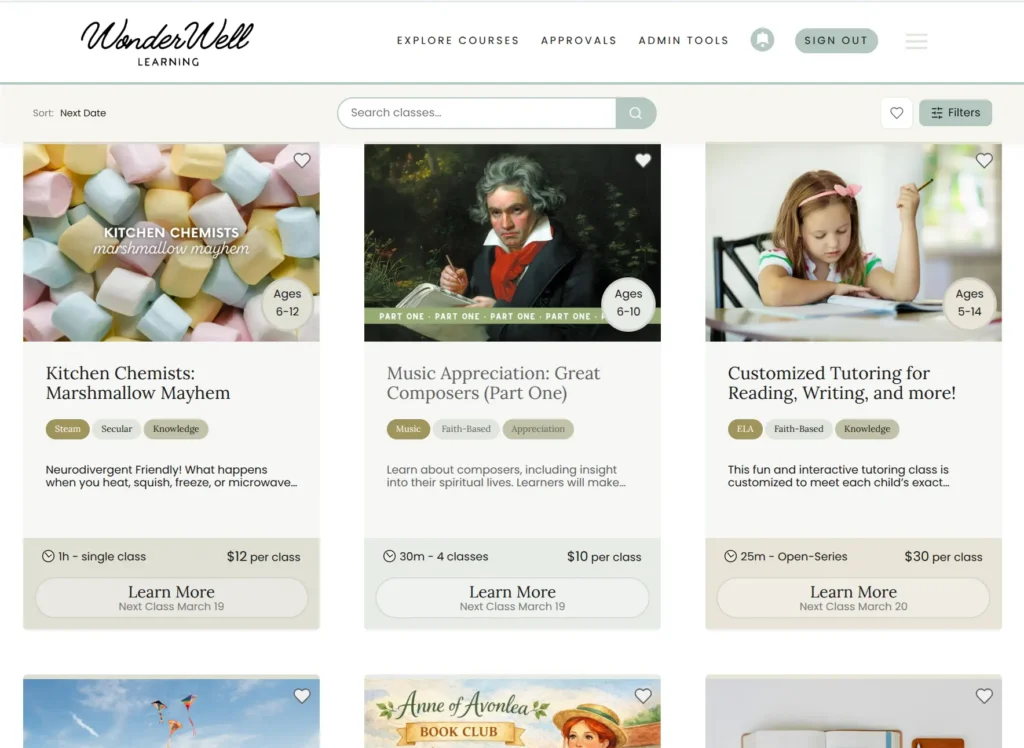
The single most common question we get from parents is: “What is approved for my funds?” Our answer is simple: Every single class available on WonderWell Learning is a pre-approved item on the ESA program. Whether your kids are diving into Science with Candice and Kristina, Art with Michael and BriAnn, Piano with David, Math with Megan, or Reading with Kristen and Carri you can breathe easy knowing your Arizona ESA funds are being used on high-quality education. Our CEO, Sandy, vets every teacher personally with a simple rule: “If I won’t put my daughter in the class, it doesn’t go on the platform.”
How to use Arizona ESA funds for WonderWell Learning Classes
Method 1: The “Express Lane” (ClassWallet Marketplace)
If you want the fastest enrollment possible, the ClassWallet Marketplace is your best friend. These orders are processed immediately, and your child is automatically enrolled in class.
Step-by-Step Instructions:
Log in: Access your ClassWallet account and ensure you are in the correct child’s profile (check the top right corner).
Shop: Scroll until you see “Shop in the Marketplace” and click “Start Shopping.”
Search: Type “WonderWell Learning” into the search bar and click “Shop.”
Enroll: You will be taken to our website (look for the ClassWallet banner at the top). Choose a course and click “Enroll.” Select the session date(s) and click “Checkout Now”
Pay: Click “Pay with ClassWallet” and select the Expense Category: “Tuition or fees online learning program (non-public).” You do not need to add extra documentation here. Click “Checkout”
Submit: Add the total funds you are using and click “Submit.” Your course is added to your account automatically!
Direct Pay is another great option for families. ClassWallet takes a few days to process these. We recommend submitting this three business days before class begins to ensure you are enrolled and ready for the first day.
Step-by-Step Instructions:
Screenshots: Go to WonderWell Learning and select a course. Take two screenshots: one of the Course Page (showing the session schedule) and one of the Checkout Page (which you’ll see after selecting a learner and clicking “Complete Enrollment”).
ClassWallet Pay: In the Direct Pay section of your ClassWallet account, search for “WonderWell Learning, AZ, Holbrook.” and click “Pay”
Order Details: Enter the full payment amount (click “next”). Upload both screenshots (click “next”). Select the category “Tuition or fees online learning program (non-public)”. Complete the remaining ClassWallet prompts.
The Voucher: Once we receive the order from ClassWallet, we will email you an ESA Enrollment Voucher code (usually within 24 hours).
Finalize: Return to our site, repeat the enrollment process, and enter that voucher code at checkout to bring your total to $0 and complete enrollment.
Method 3: The “Points Maximizer” (Reimbursement)
For families who prefer to use a personal credit card, the reimbursement route is a great option.
Payment: You pay for the class upfront on our website using your preferred card.
Documentation: We email you a receipt for your class purchases immediately.
Submission: You then upload your receipt in the reimbursement section of your ClassWallet ESA portal using the “Tuition or fees online learning program (non-public)” category. (No additional curriculum or documentation is needed)
A “Zen” Moment for the Overwhelmed Parent
We see you, the tired mom on your sixth learner and the nervous parent just starting with your oldest. You might be staring at the ClassWallet login screen right now feeling overwhelmed.
Our advice? You don’t have to do it alone. We’ve got you.
Offload some stress, lean on us, and fall in love with your choice to homeschool again. If you are still staring at that screen, please call or text us at 928-514-1006. We are here for you.
Ready to use your Arizona ESA funds? Here are a few of our favorite places to start: